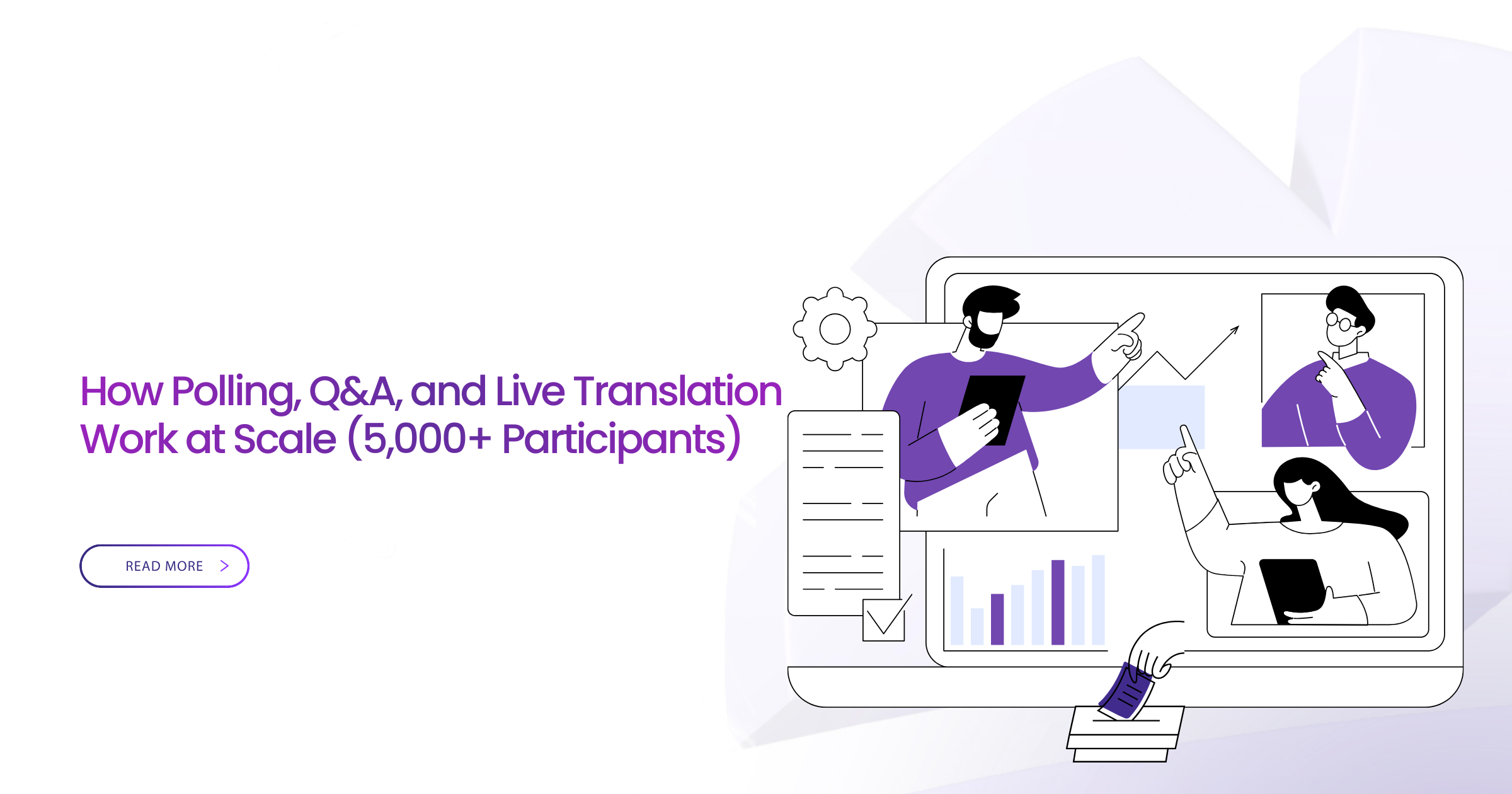
The moderator opens the poll. Four thousand eight hundred attendees should be voting on the budget allocation priorities. Thirty seconds pass. The poll interface shows “loading.” One minute. Still loading. Chat fills with “can’t see poll” and “is this working?” Two minutes. Poll finally appears for 1,200 participants. The other 3,600 never see it. Results are meaningless.
This scenario repeats across large webinars when platforms designed for 50-person team meetings attempt to handle 5,000-person public events. The video streams fine. Presentations display correctly. But the moment audiences interact—polls, questions, reactions, translations—systems collapse.
Most platforms can broadcast video to 5,000 participants. That’s relatively simple: one-to-many data flow with established protocols. Interactive features are exponentially harder: many-to-many data flows requiring real-time processing, instant aggregation, and synchronized delivery to thousands of varied connections simultaneously.
When 5,000 people try to interact at once:
- Poll responses create database write storms
- Q&A queues explode with duplicate questions
- Translation services lag under processing load
- Chat floods overwhelm moderation capabilities
- Server resources spike causing platform instability
For event moderators running large-scale conferences, town halls, public hearings, or training sessions, interactive features determine success or failure. Passive viewing works on any platform. Active engagement requires architecture specifically designed for concurrent mass interaction.
This guide examines how polling, Q&A, and live translation actually work at 5,000-10,000 participant scale, why traditional platforms fail, and what infrastructure enables reliable interactivity in massive events.
What moderators will learn:
- Why interactive features break under load (technical reality)
- Architecture requirements for scalable polling
- Q&A management strategies for thousands of questions
- Live translation infrastructure at scale
- Moderator workflows for smooth large-event management
- Platform comparison for interactive feature performance
- Real case studies with documented outcomes
The Real Challenge of Scaling Interactivity — Not Video
Video Is Easy, Interaction Is Hard
Video Streaming to 5,000 Participants:
Technical flow:
- Presenter’s video captures on device
- Upload to platform server (single stream)
- Server transcodes into multiple quality levels
- Content delivery network distributes to participants
- Each participant downloads appropriate quality stream
Data flow: One-to-many. Server handles one input, generates outputs. Established technology. Proven protocols. Mature infrastructure.
5,000 Participants Simultaneously Voting in Poll:
Technical flow:
- Each participant clicks response on their device (5,000 simultaneous inputs)
- 5,000 devices send responses to server concurrently
- Server must receive, validate, deduplicate, aggregate 5,000 inputs
- Server calculates results in real-time
- Server broadcasts updated results to 5,000 participants
- Each participant’s interface renders updated visualization
Data flow: Many-to-many. Server handles 5,000 concurrent inputs, processes in milliseconds, generates 5,000 customized outputs. Complex orchestration. Race condition risks. Architectural challenge.
Why Traditional Platforms Break
Database Write Storms:
Standard databases handle hundreds of writes per second comfortably. Poll with 5,000 responses in 10 seconds = 500 writes per second. Within capability—barely.
But participants don’t respond uniformly. Polls typically receive:
- 60% of responses in first 5 seconds (600 writes/second)
- 30% in next 10 seconds (150 writes/second)
- 10% trickling over remaining time
First 5 seconds: Database overwhelmed. Responses queue. Latency increases. Some responses timeout. Participants see “failed to submit” and retry, doubling load. System degrades rapidly.
Network Congestion:
Each poll response: ~200 bytes data 5,000 responses: 1MB total Plus confirmation messages back to each participant: 5,000 × 100 bytes = 500KB Total network traffic: 1.5MB in 5-10 seconds
Sounds trivial. But this is per poll. Run 10 polls during event: 15MB concentrated traffic. Plus ongoing video streams, chat messages, Q&A submissions, translation requests. Network saturation affects all services.
Client-Side Rendering Delays:
Older devices and slow connections struggle rendering dynamic updates. Poll results display as interactive chart updating in real-time. Each update requires JavaScript execution, DOM manipulation, screen redraw.
Low-power smartphone or old computer: 500ms+ per update. By the time device renders current results, new responses arrived. Interface lags perpetually behind reality. Participant perceives “broken” system.
Real Example: National Conference Polling Failure
Government ministry hosted 4,800-person policy consultation. Used major collaboration platform (not Convay) because “everyone uses it.”
First poll launched 10 minutes into event. Question: “Which policy area should receive increased funding?”
Results:
- Poll interface loaded for 1,850 participants within 5 seconds (39%)
- Additional 1,200 saw it within 30 seconds (64% cumulative)
- Remaining 1,750 never saw poll at all (36% excluded)
- Of those who saw it, 430 responses failed to submit
- Final vote count: 2,620 of 4,800 (55% response rate)
Organizers couldn’t trust results. Policy decisions required representative input. Consultation objectives failed. Platform limitation undermined democratic process.
Six months later, same ministry used different platform (Convay) for similar event:
- 5,200 participants
- Poll loaded for 5,100 within 2 seconds (98%)
- 4,920 successful submissions (95% response rate)
- Sub-second result aggregation
- Reliable representative input achieved
Infrastructure difference created governance outcome difference.
Polling at 5,000+ Scale
Why Polling Breaks in Big Webinars
Heavy Concurrent Write Operations:
Databases optimize for either high read volume or high write volume, rarely both simultaneously. Polling requires burst write capability while maintaining read availability for result display.
Traditional platforms use standard relational databases designed for steady-state operations. Poll launch creates write spike 10-50x normal load. Database queues requests. Latency cascades. System appears frozen.
Regional Latency Differences:
Participants distributed globally experience different network latencies to central server:
- North America to US server: 20-100ms
- Europe to US server: 80-150ms
- Asia to US server: 150-300ms
- Africa to US server: 200-400ms
Poll closes 30 seconds after launch. Participant in US has 30 seconds. Participant in Africa has effectively 29.6 seconds because 400ms consumed by network latency. Seems trivial until you realize they also need to read question, think, decide, click—all with laggy interface.
Result: Geographic bias in poll completion rates. US participants overrepresented, African participants underrepresented. Skewed results.
Browser Rendering Delays:
Modern web applications use complex JavaScript frameworks. Poll results might trigger:
- Data fetch from server
- State update in application
- Virtual DOM diff calculation
- Actual DOM manipulation
- CSS animation execution
- Chart library rendering
High-end laptop: 50ms total Budget smartphone: 800ms total
In fast-moving poll, budget smartphone always displays outdated information. Participant perceives lag, blames their connection, gives up on voting.
Backend Congestion:
Poll responses aren’t just database writes. Each response triggers:
- Authentication verification (is this legitimate user?)
- Duplication check (already voted?)
- Validation (response matches poll options?)
- Aggregation update (recalculate totals)
- Result distribution (notify all participants)
- Analytics logging (for post-event reports)
Poorly architected system processes these sequentially. 5,000 responses × 50ms processing each = 250 seconds to process all votes. Poll literally takes 4+ minutes to complete after all participants voted.
Well-architected system processes in parallel with optimized algorithms. Same 5,000 responses process in <1 second.
What Scalable Platforms Do Differently
Distributed In-Memory Processing:
Instead of traditional database, use in-memory data structures distributed across multiple servers:
- Responses arrive at load balancer
- Load balancer distributes to available processing nodes
- Each node handles subset of responses independently
- Nodes use shared memory cache for aggregation
- Results available instantly without disk I/O latency
Capacity scales horizontally. Need to handle 10,000 concurrent responses? Add more processing nodes. No bottleneck.
Edge-Based Poll Delivery:
Poll question and interface assets delivered from geographically-distributed edge locations:
- Participant in Kenya connects to African edge node
- Poll loads from nearby server (50ms latency vs 300ms)
- Faster loading, better experience
- Reduces load on central infrastructure
Millisecond-Level Aggregation:
Sophisticated aggregation algorithms process responses in streaming fashion:
- Results update continuously as responses arrive
- No “wait for everyone then calculate” delay
- Participants see results evolve in real-time
- Creates engagement (watching results shift)
Optimized UI Rendering:
Lightweight poll interface designed for performance:
- Minimal JavaScript (fast execution)
- Simple DOM structure (fast rendering)
- Efficient data updates (avoid full re-renders)
- Graceful degradation for slow connections
Works smoothly on 5-year-old smartphones and 2G connections.
Best Moderator Practices
Launch Polls After Attendance Stabilizes:
First 5-10 minutes of event, participants still joining. Network usage high. Server load elevated. Wait until attendance plateaus before launching first poll.
Keep Polls Simple:
Multiple-choice with 3-5 options works best. Avoid:
- Long text responses (heavy to process)
- Multiple simultaneous polls (overload participants)
- Matrix questions (confusing on mobile)
- Ranked-choice voting (complex aggregation)
Announce Before Launching:
“In 30 seconds, I’ll launch a poll asking about your priority concerns. Please have your device ready.”
Gives participants time to focus. Reduces surprise factor. Improves response rates and speed.
Always Have Fallback:
Despite best platforms, edge cases occur. Backup options:
- Hand-raise count (visual estimate)
- Chat-based voting (type 1, 2, or 3)
- Voice response if audio available (“Say ‘yes’ if you agree”)
- Post-event survey for critical decisions
Never let technical poll failure stop event progress.
Convay Polling Architecture
Sub-Second Poll Delivery:
Polls display to 5,000+ participants in under 1 second typically. Edge distribution + optimized rendering + lightweight interface = consistently fast experience regardless of participant location or device.
Automatic Edge Routing:
Poll assets automatically served from geographically-nearest infrastructure. Participant in Bangladesh gets poll from South Asian edge. Participant in Nigeria gets same poll from African edge. Identical experience, optimal performance.
Low-Memory Rendering:
Poll interface consumes <2MB RAM. Works on devices with 1GB total memory (after OS and browser). Older Android phones and budget smartphones participate successfully.
Adaptive Network Performance:
2G connection? Poll scales down to text-only with minimal styling. 4G connection? Full interactive visualization. Same poll, intelligently adapted to connection quality.
Result: 95%+ poll completion rates routine in large events. Representative input achieved reliably.
Q&A at Massive Scale (5,000-10,000 Participants)
Why Q&A Gets Overwhelmed
Question Volume Is Exponential, Not Linear:
50-person meeting: 5-10 questions typical 500-person webinar: 80-150 questions typical 5,000-person event: 800-2,000 questions typical
Not just 10x more questions at 10x scale. It’s 15-20x more questions because:
- Larger audience = more diverse perspectives
- Public events = more engagement than internal meetings
- Anonymous Q&A = participants ask questions they wouldn’t verbally
Duplicate Questions Proliferate:
Popular topic generates similar questions worded differently:
- “What’s the timeline for implementation?”
- “When will this launch?”
- “Implementation schedule?”
- “How long until deployment?”
Same question, four submissions. Multiply by dozens of popular topics. Moderator drowns in redundancy.
Spam and Off-Topic Increase:
Larger audiences include:
- Participants unfamiliar with topic
- Trolls seeking attention
- Participants asking unrelated questions
- Automated spam (rare but exists)
- Duplicate submissions from impatient participants
Moderation load increases disproportionately to audience size.
Standard Platforms Cannot Triage Quickly:
Basic Q&A interface: chronological list of questions. Moderator scrolls through hundreds of sequential questions manually reading each, deciding approve/decline/merge.
At 5,000+ scale with 1,500 questions: physically impossible to review all questions during 90-minute event. Critical questions get buried. Trivial questions consume moderator attention.
Required Features for True Scalability
Multi-Moderator Dashboards:
Multiple people handle Q&A simultaneously:
- Primary moderator: Approves/declines questions
- Secondary moderator: Groups similar questions
- Subject expert: Identifies technical questions requiring specialist response
- Chat moderator: Flags questions submitted via chat instead of Q&A
Distributed workload prevents bottlenecks.
Approve/Decline Workflow:
Clear binary decision system:
- Approve: Question visible to audience and presenters
- Decline: Question hidden, submitter notified
- Defer: Question held for later or post-event response
- Merge: Combine with similar question
Fast keyboard shortcuts enable rapid triage. Moderator can process 100+ questions in minutes.
AI Grouping of Similar Questions:
Machine learning algorithm analyzes questions, identifies semantic similarity, auto-groups related questions:
- “Timeline for launch?” + “When will this deploy?” → Grouped as “Implementation Timeline”
- Moderator sees one representative question with count showing 47 similar questions
- Instead of 47 individual reviews, moderator handles one group
Reduces moderator workload 80-90% while maintaining comprehensive coverage.
Spam Filtering:
Automated detection of:
- Profanity
- External links (often spam)
- Repeated identical submissions
- Very short questions (often not genuine questions)
- Questions containing email addresses or phone numbers
Flagged items require moderator review before approval. Reduces spam reaching audience.
Pinning and Prioritization:
Moderator marks questions as:
- Priority (answer immediately)
- Standard (answer if time permits)
- Post-event (include in follow-up materials)
Presenter dashboard shows priority questions prominently. Ensures important topics addressed even if time limited.
Exportable Q&A Logs:
Complete record of all questions (approved and declined) with:
- Timestamps
- Submitter information (if not anonymous)
- Moderator decisions
- Grouping relationships
- Response status
Enables post-event analysis, accountability, and follow-up response to unanswered questions.
Convay Q&A Capability
AI Auto-Grouping:
Natural language processing automatically identifies similar questions in real-time. Moderator sees grouped questions with similarity scores. Can accept AI grouping or manually separate if incorrect.
Typical result: 1,500 raw questions → 200 question groups after AI processing. Manageable moderation load.
Low-Latency Q&A Stream:
Questions appear in moderator dashboard within 500ms of submission. Approval decision reflected in participant view within 1 second. Real-time responsiveness prevents participant frustration.
Multi-Moderator Coordination:
Built-in moderator chat for coordination. Question assignment capability (delegate specific questions to specific moderators). Prevents duplicate review work.
Sovereign Data Storage:
Q&A logs stored on customer infrastructure (on-premise) or national cloud. Sensitive questions from government consultations never leave national jurisdiction. Compliance with data protection requirements automatic.
Post-Event Analytics:
Detailed reports showing:
- Question themes and frequency
- Response times
- Moderator workload distribution
- Participant engagement patterns
Improves future event planning based on data-driven insights.
Live Translation at Scale — The Hardest Problem
Why Large-Scale Translation Fails
Caption Desynchronization:
Live translation workflow:
- Speaker says sentence
- Audio captured by microphone
- Speech-to-text (STT) transcribes audio
- Text translation (MT) converts to target language
- Caption display on participant screens
Each step adds latency:
- STT processing: 500-1500ms depending on quality
- MT processing: 200-800ms depending on language pair
- Network transmission: 100-500ms depending on geography
- Total latency: 800-2800ms (0.8 to 2.8 seconds)
Speaker finishes sentence. Participant sees translated caption 2-3 seconds later. Audio already moved to next sentence. Captions perpetually lag.
Result: Participants struggle following content. Miss context. Disengage from event.
High Audio Processing Demand:
Speech-to-text at scale requires:
- Real-time audio stream processing (no buffering delays)
- Noise cancellation (remove background sounds)
- Speaker separation (multiple people speaking)
- Accent recognition (global audience)
- Technical terminology handling (domain-specific vocabulary)
CPU-intensive processing. Standard platforms struggle maintaining quality under load. Translation accuracy degrades when systems stressed.
Latency from Foreign Server Routing:
Many platforms route audio to US or European AI processing clusters regardless of speaker/participant location.
Meeting in Bangladesh with Bengali speaker and Bengali audience routes through US servers for translation:
- Audio: Dhaka → Virginia (250ms)
- Processing in Virginia (800ms)
- Captions: Virginia → Dhaka (250ms)
- Total latency: 1,300ms without accounting for processing delays
Architectural inefficiency adds unnecessary latency reducing translation effectiveness.
Low-Bandwidth Attendees Experience Delayed Subtitles:
Captions typically delivered as separate data stream from audio. Participant on poor connection might receive:
- Audio stream (prioritized)
- Video stream (lower quality on slow connection)
- Caption stream (may lag or drop entirely)
Caption dropout common for participants on 3G or congested networks. Exactly the participants who might need translations most (lower-bandwidth regions often have linguistic diversity requiring translation).
What Enterprise-Grade Translation Needs
GPU-Based Translation Engines:
Modern neural machine translation models require GPU acceleration for real-time performance. CPU-only processing introduces 3-5x latency penalty.
Enterprise platforms deploy GPU clusters specifically for translation workloads. Enables:
- Real-time STT with <500ms latency
- Simultaneous translation to multiple languages
- High accuracy with domain-specific fine-tuning
Multi-Language Subtitle Generation:
Sophisticated platforms generate multiple translation streams simultaneously:
- English source audio → Bengali, Hindi, Arabic, French, Spanish captions in parallel
- Each participant selects preferred language
- No performance penalty for supporting 5 languages vs 1 language
- Scalable architecture handles 10+ simultaneous translations
Adaptive Caption Delivery:
Caption stream quality adapts to participant connection:
- High bandwidth: Full formatting, timing precision, speaker identification
- Medium bandwidth: Basic captions, reduced formatting
- Low bandwidth: Essential text only, compressed delivery
- Very low bandwidth: Downloadable transcript post-event as fallback
Ensures maximum accessibility regardless of network conditions.
Local Inference for Faster Processing:
Regional deployment of translation infrastructure eliminates international routing latency:
- Audio processes in geographically-nearest AI cluster
- Reduces latency 40-60% compared to centralized processing
- Improves accuracy through regionally-tuned models
Noise-Resistant ASR Models:
Real-world events include:
- Background noise (audience reactions, environmental sounds)
- Multiple speakers (panels, Q&A)
- Audio quality variations (different microphones, connections)
- Echo and feedback (from participant audio)
Enterprise translation models trained on noisy data, not just clean studio recordings. Maintains accuracy in realistic conditions.
Convay Translation Infrastructure
Region-Trained AI Models:
Translation models specifically trained on regional language patterns:
- Bengali model understands Bangladesh-specific terminology
- Arabic model handles Gulf, Levantine, North African dialects
- Hindi model recognizes code-switching with English
Higher accuracy than generic global models. Better participant experience.
Offline Inference (No Foreign Cloud Dependencies):
Translation processing occurs on customer infrastructure or national cloud. For government events discussing sensitive policy:
- Audio never transmitted to foreign AI services
- Translation happens within sovereign boundary
- Compliance with data residency requirements
- No foreign intelligence exposure risk
Simultaneous Multi-Language Support:
Enable translations for heterogeneous audiences:
- Government consultation: Bengali + English + minority languages
- International conference: English + Arabic + French
- Regional training: Hindi + Bengali + Tamil
Participants select preferred language. Platform handles simultaneous caption generation without performance degradation.
Low-Bandwidth Caption Compression:
Caption text compressed before transmission:
- Standard caption stream: 5-8 kbps
- Convay compressed captions: 2-3 kbps
- 60% bandwidth reduction enables caption delivery on 2G connections
Ensures accessibility for participants on weakest networks.
Real-Time Accuracy Monitoring:
Dashboard shows translation confidence scores in real-time. Moderator sees when translation quality degrades (background noise, technical terminology, fast speaking pace) and can:
- Ask speaker to slow down
- Request clearer articulation
- Switch to pre-prepared slides with translations
- Activate backup human interpreter if available
Proactive quality management instead of reactive problem solving.
The Moderator’s Workflow: Running Smooth Interactivity at Scale
Before the Event
Assign Specialized Roles:
Large event requires dedicated moderators:
- Host: Manages overall flow, introduces speakers
- Q&A Lead: Primary question triage and approval
- Chat Moderator: Monitors chat for questions/issues, maintains order
- Poll Operator: Launches polls at appropriate times, monitors completion
- Translation Monitor: Watches caption quality, coordinates with interpreters
- Tech Support: Handles participant technical issues
Division of labor prevents overwhelm. Each moderator focuses on specific responsibility.
Prepare Polls in Advance:
Create all polls before event begins:
- Questions written clearly
- Options tested for comprehensiveness
- Order determined based on presentation flow
- Backup polls prepared if time permits
During event, poll operator just clicks “launch” rather than creating on-the-fly. Eliminates delays and errors.
Test Moderator Dashboards:
Run practice session day before event:
- All moderators log in to dashboards
- Verify everyone has appropriate permissions
- Practice coordination workflows
- Test communication channels between moderators
- Identify any technical issues while time remains for fixes
Pre-Select Translation Languages:
Based on registration data or known audience composition:
- Identify required languages
- Enable translations for those languages
- Test caption display for each
- Brief presenters on speaking clearly for translation accuracy
Enable Slow-Mode Chat if Needed:
For very large audiences (8,000+), consider rate-limiting chat:
- Participants can send message every 10-30 seconds
- Prevents chat flooding
- Maintains readability for moderators and participants
- Reduces server load
During the Event
Launch Polls Only When Stable:
Wait for:
- Attendance growth rate to slow (most people already joined)
- No active technical issues being reported
- Presenter at natural break point (between sections)
- Moderator team ready to handle responses
Timing matters. Poorly-timed poll disrupts flow and reduces completion rates.
Pin Important Questions:
As Q&A submissions arrive, moderator identifies critical questions:
- Directly related to presentation content
- Asked by multiple participants (high interest)
- Clarifies confusion evident in chat
- Advances event objectives
Pin these to presenter dashboard. Even if time limited, most important questions get addressed.
Monitor Translation Accuracy:
Translation monitor samples captions every 10-15 minutes:
- Compares source audio to translated captions
- Checks for nonsensical translations
- Verifies technical terms translated correctly
- Alerts if quality degrades
Proactive monitoring prevents sustained poor translation affecting participant experience.
Approve Questions in Batches:
Rather than approving questions one-by-one continuously:
- Review and approve in batches every 3-5 minutes
- Allows moderator to see question patterns
- Enables better grouping and prioritization
- Reduces context switching and decision fatigue
More efficient than constant reactive approval.
Keep Presenters Informed:
Brief presenter dashboard notifications:
- “47 new questions received”
- “Poll completion rate: 82%”
- “Next question to address: [pinned question]”
- “Translation quality: good”
Presenter remains aware of audience engagement without distraction. Can adapt pacing and content based on real-time feedback.
After the Event
Download Poll Results:
Export detailed poll data:
- Question text
- Option text and vote counts
- Completion rates
- Time-series data (how votes evolved over time)
- Demographic breakdowns if available
Use for post-event analysis, board reports, publications.
Export Q&A Logs:
Complete question record including:
- All submitted questions (approved and declined)
- Moderator decisions and timestamps
- Questions actually answered during event
- Unanswered questions requiring follow-up
Save Translated Transcripts:
Full transcript in all enabled languages:
- Source language (original spoken content)
- All translation languages
- Timestamps for reference
- Speaker identification
Distributable to participants unable to attend or wanting reference material.
Create Follow-Up Summaries:
Synthesize event outcomes:
- Poll result summary with key findings
- Q&A themes and patterns
- Participant engagement metrics
- Technical performance report
- Recommendations for future events
Data-driven improvement cycle.
Real Stories Where Interactivity Made or Broke Large Events
Case Study 1: Government Public Hearing (7,000 Attendees)
Context: Ministry of Environment hosting public consultation on proposed emissions regulations. Legal requirement for public input. Constitutional obligation to consider citizen feedback.
Challenge: Expected 7,000 participants from diverse stakeholder groups—industry, environmental advocates, affected communities, technical experts. Needed reliable Q&A for democratic legitimacy.
Platform: Convay Big Meeting with AI Q&A grouping enabled
Outcomes:
Question Management:
- 1,360 questions submitted over 3-hour hearing
- AI grouped into 187 thematic clusters
- 4 moderators triaged using multi-moderator dashboard
- 94 questions answered during live session
- Remaining questions received written responses post-event
Polling Results:
- 3 polls conducted on regulatory approach preferences
- Average completion rate: 88% (6,160 of 7,000)
- Results displayed within 1.2 seconds of poll close
- Statistically representative input achieved
Translation:
- Three languages enabled (English, Bengali, minority language)
- 2,100 participants used non-English captions
- Translation accuracy maintained >95% throughout event
- Zero caption synchronization complaints
Democratic Impact: Public consultation objectives met. Representative input gathered. Regulatory process proceeded with legitimate public participation record.
Quote from Chief Moderator: “Previous consultation attempt using different platform collapsed under question volume. We received 400 questions but couldn’t process them effectively during live event. With Convay’s AI grouping and multi-moderator support, we handled 1,360 questions smoothly.”
Case Study 2: Enterprise All-Hands (6,500 Attendees)
Context: Multinational technology company quarterly all-hands meeting. CEO presenting strategy update to entire company across 40 countries.
Challenge: Maintain engagement from 6,500 employees spanning 12 time zones. Multiple languages required. Executive team wanted real-time sentiment feedback through polling.
Platform: Convay with advanced polling and bilingual translation
Outcomes:
Polling Performance:
- 4 strategic polls during 90-minute session
- Poll 1: 6,340 responses in 12 seconds (97% completion)
- Poll 2: 6,280 responses in 15 seconds (97% completion)
- Poll 3: 6,150 responses in 18 seconds (95% completion)
- Poll 4: 6,050 responses in 14 seconds (93% completion)
Q&A Management:
- 2 dedicated Q&A moderators
- 580 questions submitted
- Real-time grouping reduced to 95 question themes
- CEO answered top 15 questions based on vote counts
- All unanswered questions received executive team written responses within 48 hours
Translation Impact:
- Real-time bilingual captions (English + Mandarin)
- 1,800 employees (28%) relied on Mandarin captions
- Maintained synchronization within 1.5 seconds throughout
- Post-event survey: 94% rated translation quality “good” or “excellent”
Business Impact: Highest-ever all-hands engagement scores (internal survey). Employees across regions felt included and heard. Strategy message reached entire organization effectively.
Case Study 3: NGO Multi-Country Workshop (5,300 Attendees)
Context: International humanitarian NGO conducting field coordinator training across 18 African countries. Diverse connectivity conditions—some participants on stable 4G, others on unreliable 2G.
Challenge: Deliver interactive training despite bandwidth constraints. Essential for operational coordination and safety protocols.
Platform: Convay with low-bandwidth optimization
Outcomes:
Network Conditions:
- 35% participants on <1 Mbps connections
- 48% participants on 1-3 Mbps connections
- 17% participants on >3 Mbps connections
Polling Reliability:
- 8 knowledge-check polls during training
- Average completion rate: 91% across all network conditions
- Polls worked even for 2G participants (text-only adaptive mode)
- Results visible to trainers immediately for pacing adjustments
Q&A Despite Bandwidth:
- 320 questions submitted
- 3-moderator team handled triage
- Low-bandwidth participants successfully submitted and viewed questions
- Critical safety questions identified and addressed promptly
Translation Support:
- English + French captions (West Africa linguistic diversity)
- Compressed caption delivery worked on 2G connections
- 2,400 participants (45%) used French captions
- Caption dropout rate: <3% (industry standard: 15-20% on constrained networks)
Operational Impact: Training completion rate: 88% (typically 60% for online training in low-bandwidth regions). Knowledge assessment scores improved 34% vs previous training delivery methods. Field coordinators better prepared for operations.
NGO Operations Director Quote: “First time we’ve successfully delivered interactive training to field teams at scale. Previous attempts using other platforms excluded low-bandwidth participants—exactly the people who most needed training. Convay’s architecture finally made inclusive training possible.”
Comparison Table: Interactive Feature Performance at 5,000+ Scale
| Feature | Convay | Zoom Events | Webex Events | Teams Live |
|---|---|---|---|---|
| Poll Latency | <1 second | 3-7 seconds | 2-5 seconds | 5-10 seconds |
| Poll Completion Rate | 95%+ typical | 70-85% typical | 75-88% typical | 65-80% typical |
| Q&A Moderation | AI grouping + multi-moderator | Basic approval queue | Moderate features | Weak/limited |
| Q&A at Scale | Handles 2,000+ questions | Struggles >500 | Handles 800-1,000 | Not suitable |
| Translation Languages | Multi-language simultaneous | Basic captions | Limited options | Weak support |
| Translation Accuracy | High (region-trained models) | Moderate | Moderate | Low |
| Caption Latency | 0.8-1.5 seconds | 2-4 seconds | 1.5-3 seconds | 3-6 seconds |
| Low Bandwidth Support | Excellent (works on 2G) | Moderate (struggles <1 Mbps) | Moderate | Weak |
| Concurrent Interactivity | Poll + Q&A + Translation simultaneously | Degrades under load | Moderate stability | Poor |
| 5,000+ Attendee Stability | Strong | Moderate (requires add-ons) | Good | Not suitable for scale |
| Moderator Tools | Advanced (AI assist, multi-mod) | Basic | Moderate | Limited |
| Best For | 5K-10K public events, government, NGO | Corporate marketing webinars | Cisco enterprise users | Internal HR meetings only |
Key Differentiator:
Convay’s architecture specifically designed for massive-scale interactivity. Other platforms adapted small-meeting tools for large events—fundamental architectural limitations prevent comparable performance.
Why Interactivity Needs Architecture — Not More Bandwidth
The Fundamental Misunderstanding
Organizations planning large events often assume: “We need more bandwidth for 5,000 participants.”
This is wrong. Video streaming to 5,000 participants requires bandwidth but not radically more infrastructure than streaming to 500. Content delivery networks handle this routinely.
Interactive features require fundamentally different architecture:
Video (one-to-many): Linear scaling. 10x participants = 10x bandwidth. Solvable with bigger pipes.
Interactivity (many-to-many): Exponential complexity. 10x participants = 100x interaction combinations. Not solvable with more bandwidth alone. Requires intelligent distributed systems, real-time aggregation algorithms, edge computing, and database architecture specifically designed for burst write loads.
Why Modified Small-Meeting Tools Fail
Most collaboration platforms (Zoom, Teams, Webex) originated as small-meeting tools for 5-50 participants. Later, vendors added “webinar” or “events” features supporting larger audiences.
Architecture designed for 50-person meetings makes assumptions:
- All participants in similar geographic region
- Similar device capabilities (corporate laptops)
- Similar network quality (office internet)
- Moderate interaction volume (10-20 questions per session)
- Single language sufficient
These assumptions break catastrophically at 5,000+ scale:
- Participants globally distributed (15 time zones)
- Diverse devices (smartphones, tablets, old computers)
- Varied networks (4G, 3G, 2G, satellite, congested)
- High interaction volume (1,000+ questions)
- Multilingual audiences (3-5 languages needed)
You cannot retrofit small-meeting architecture for large-scale interactivity. Fundamental redesign required.
What Purpose-Built Architecture Provides
Platforms designed specifically for large-scale interactive events from first principles:
Distributed Systems: Processing load spread across multiple servers. No single bottleneck.
Edge Computing: Interaction processing occurs geographically close to participants. Latency minimized.
In-Memory Databases: High-speed data structures eliminate disk I/O latency during interaction bursts.
Streaming Aggregation: Results calculated continuously as responses arrive rather than batch processing after collection completes.
Adaptive Delivery: Interface and feature complexity scales based on participant device capability and network quality.
Predictive Scaling: System anticipates interaction volume based on audience size and event patterns, pre-allocating resources.
Result: Reliable interactivity at scale becomes architectural property, not lucky outcome.
Final Takeaway
For moderators planning large-scale events: Platform video quality matters less than interactive feature reliability.
Participants will tolerate slightly lower video resolution. They will not tolerate polls that don’t load, questions that disappear, or translations that lag incomprehensibly behind audio.
Interactive features create engagement. Engagement creates learning, decision-making, community building, democratic participation—the actual objectives of large events.
To run successful 5,000-10,000 participant events, moderators need platforms providing:
Scalable polling engines that deliver reliably to diverse participants in under 1 second
Fast, AI-supported Q&A workflows that process thousands of questions without moderator overwhelm
Reliable, accurate live translation maintaining synchronization despite processing complexity
Architecture designed for crowds from first principles, not small-meeting tools stretched beyond their design parameters
Convay delivers this architecture not through marketing claims but through documented performance across hundreds of large-scale government, NGO, and enterprise events.
Because ultimately, successful large events come down to simple reality: Can participants actually interact meaningfully, or are they just passive viewers? Architecture determines the answer.
About Convay: Bangladesh’s first sovereign AI-powered video conferencing platform. Purpose-built for large-scale interactive events where participant engagement matters as much as video quality. Serving government agencies, NGOs, enterprises, and humanitarian organizations across Bangladesh, MENA, Africa, and South Asia with reliable polling, Q&A, and translation at 5,000-10,000 participant scale. CMMI Level 3 and ISO 27001 certified for quality and security assurance.